Case study · Sberbank
How I designed a CSI system for the main bank in Russia
A structured feedback tool for the Digital Credit Monitoring division, turning vague, generalised ratings into insight the team could act on.

Context
One bad rating shouldn’t sink a whole team
The Digital Credit Monitoring division monitors client lifecycles to prevent loan defaults among the bank’s major corporate clients. “The earlier we detect changes in their financial status or needs, the faster and more accurately we can assist.”
The division manages 30 monitoring services, and its performance rating depended on user feedback. Previously, an individual service failure could artificially lower ratings, dragging down the entire team’s performance score without explaining what actually went wrong.
My task: create a tool that collects detailed, actionable user feedback, service by service.
Process
From Gemba observation to release
- Discover. Applied the Gemba methodology: observing actual workplace processes at the bank rather than relying on second-hand reports.
- Define. Refined user flows and identified every rating scenario the system had to handle.
- Ideate. Researched best practices; prioritised anonymous evaluation so people could be honest without consequences.
- Prototype & test. Designed a user-friendly interface for people who work in complex systems all day.
- Deliver. Finalised the presentation and supported implementation through release.
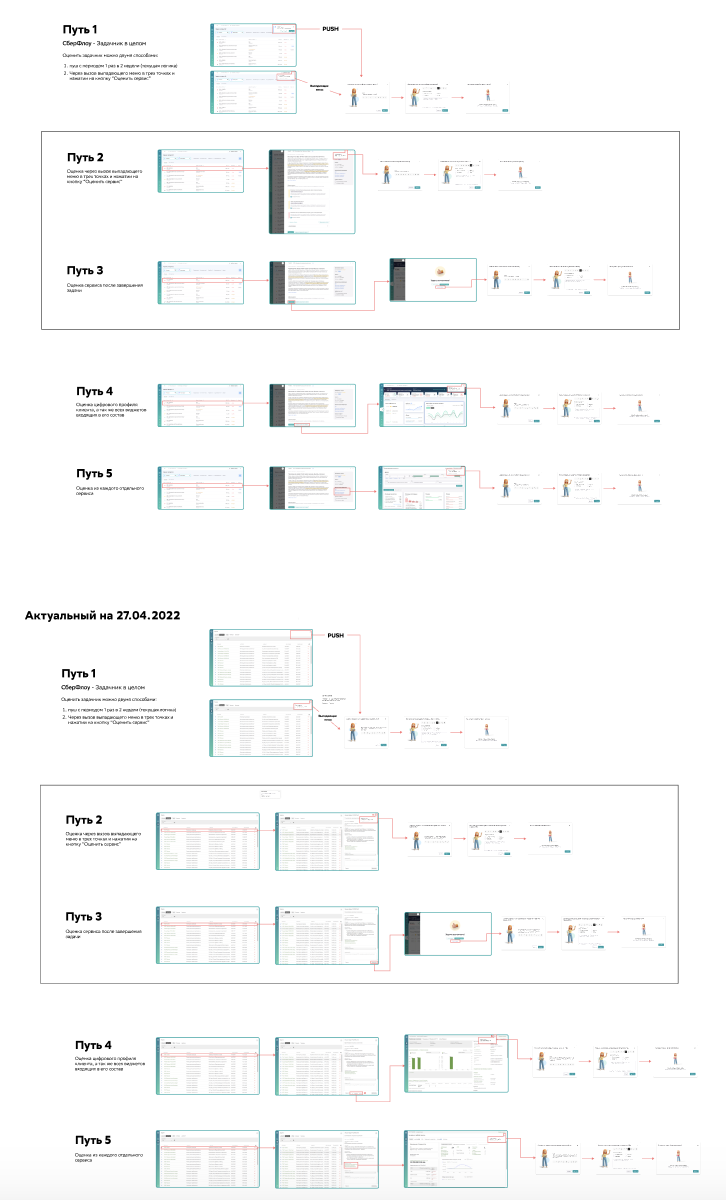
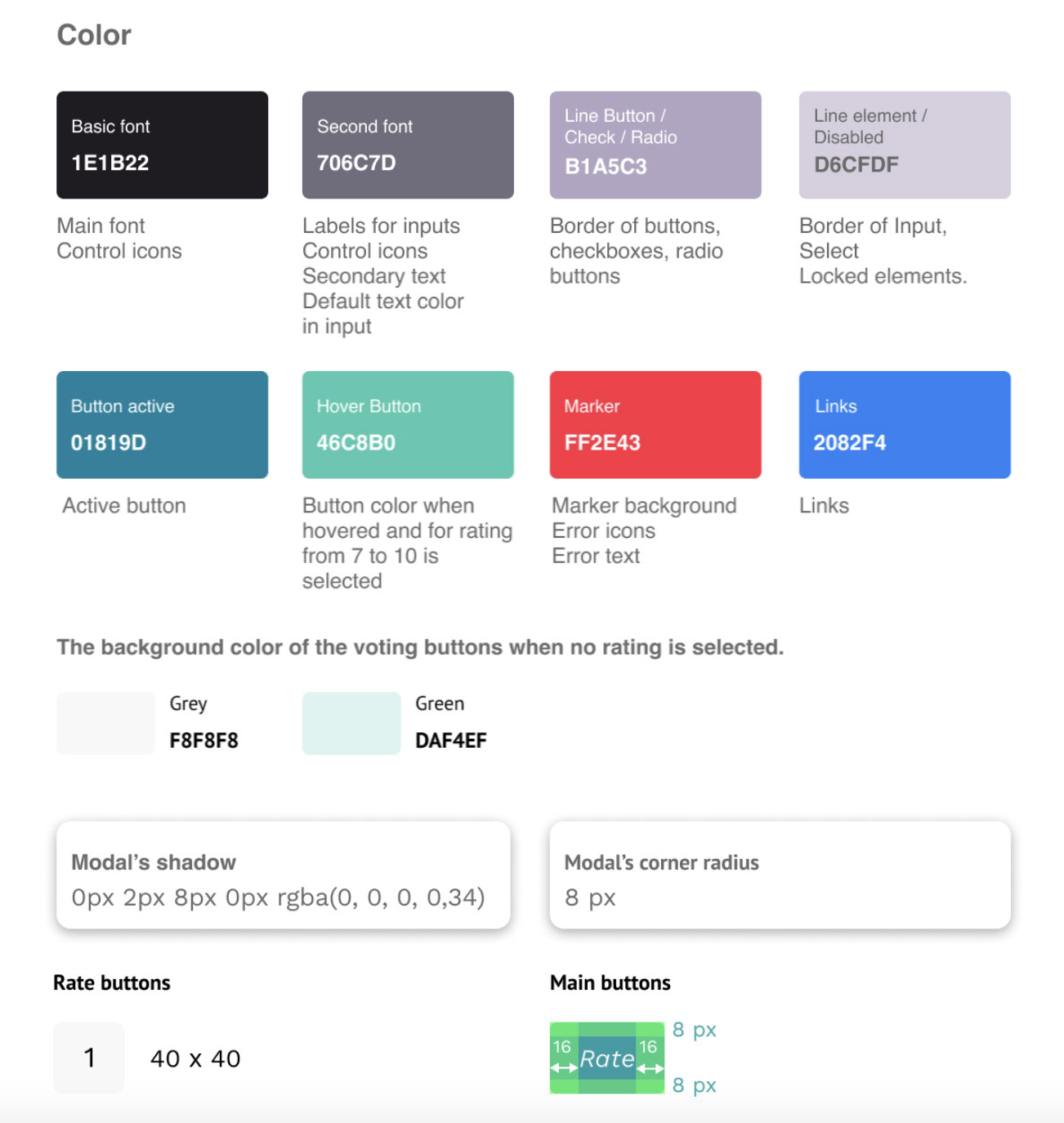
“Customer opinions are often generalised: the problem is clear, but the reasons behind it are not always evident.”
Solution
Two screens that do the heavy lifting
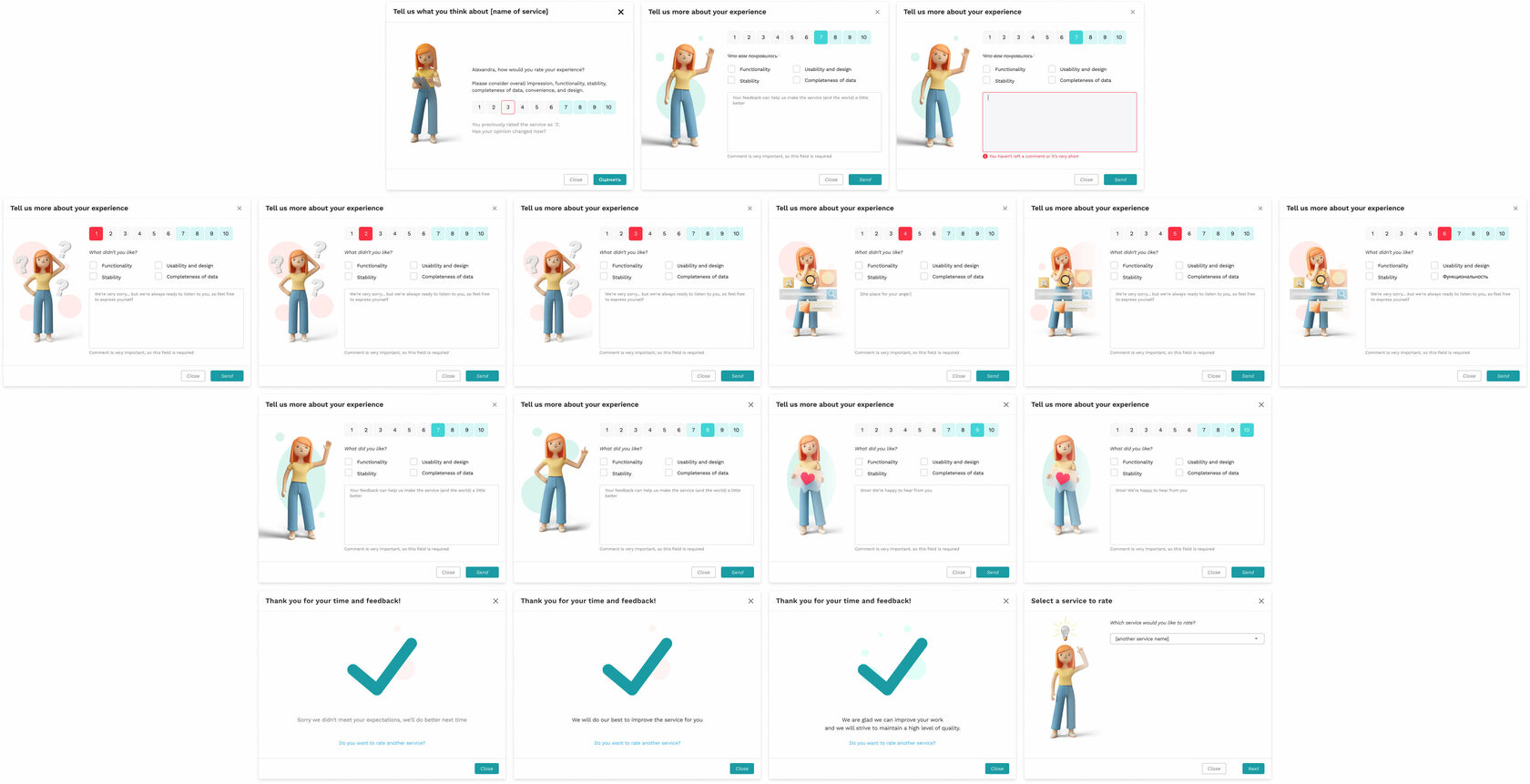
Start screen. A personalised greeting with the user’s first name, a 1–10 rating scale with colour coding (1–6 grey, 7–10 green), and the previous rating displayed with conditional borders (red for 1–6, green for 7–10) so users see their own history at a glance.
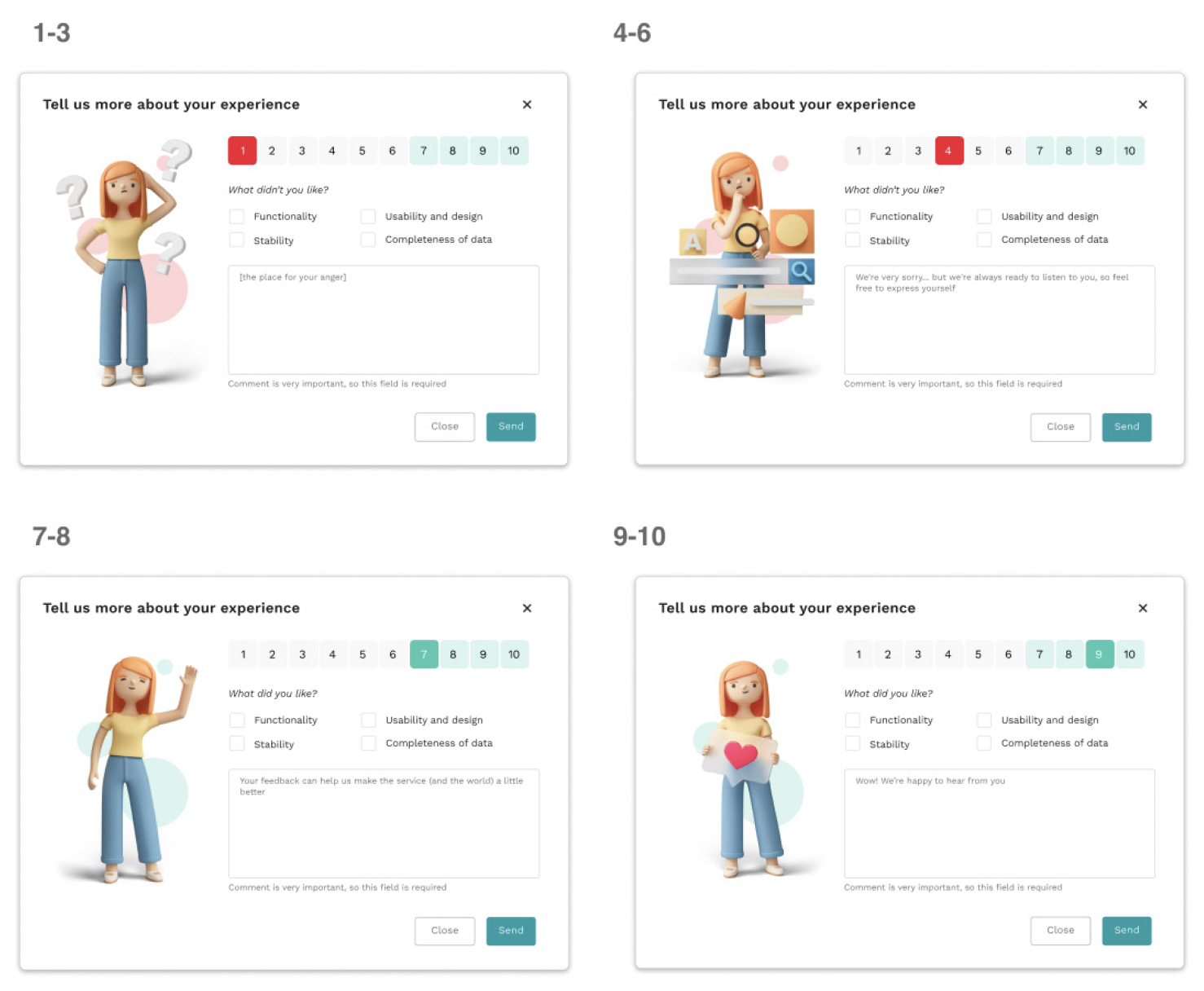
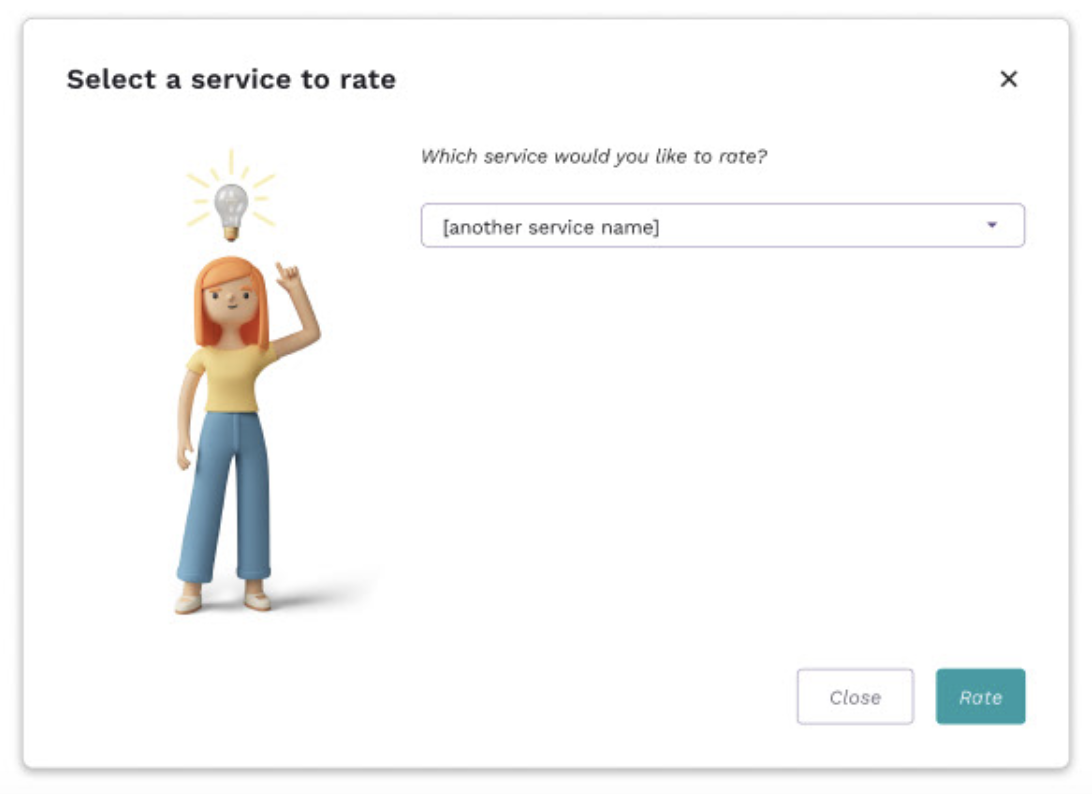
Feedback screen. Users can modify their rating without navigating away. Conditional checkboxes surface “What did you like” or “What didn’t you like” depending on the score, with contextual messaging and illustrations that respond to the rating. A service-rotation capability lets users rate another service in the same session.
Results